

ゲーム開発
Unity
UnrealEngine
C++
ゲーム数学
ゲームAI
サウンド
アニメーション
GBDK
制作日記
3DCG
Houdini
Blender
USD
グラフィックス
テクノロジ
ツール開発
フロントエンド関連
サーバサイド関連
ソフトウェア設計
ハードウェア関連
おすすめ技術書
音楽
DTM
楽器・機材
ピアノ
その他
都会のエレキベア
ラーメン日記
四コマ漫画
おすすめアイテム
おもしろコラム
  • ゲーム開発
    • Unity
    • UnrealEngine
    • C++
    • ゲーム数学
    • ゲームAI
    • サウンド
    • アニメーション
    • GBDK
    • 制作日記
  • 3DCG
    • Houdini
    • Blender
    • USD
    • グラフィックス
  • テクノロジ
    • ツール開発
    • フロントエンド関連
    • サーバサイド関連
    • ソフトウェア設計
    • ハードウェア関連
    • おすすめ技術書
  • 音楽
    • DTM
    • 楽器・機材
    • ピアノ
  • その他
    • 都会のエレキベア
    • ラーメン日記
    • 四コマ漫画
    • おすすめアイテム
    • おもしろコラム
  1. ホーム
  2. 20231231_02_category_browser

【Electron × Vue3】カテゴリ情報のCSVデータを操作するツールを作る

ツール開発JavaScriptフロントエンド関連ElectronVue.jsTypeScriptVite
2023-12-31
マイケル
マイケル
みなさんこんにちは! マイケルです!
エレキベア
エレキベア
こんにちクマ〜〜〜
マイケル
マイケル
この度、当ブログをWordPressからNext.jsへ移行したのですが、 執筆環境も改善したい!という気持ちから、執筆時に使用するツールをいくつか作ってみました!
マイケル
マイケル
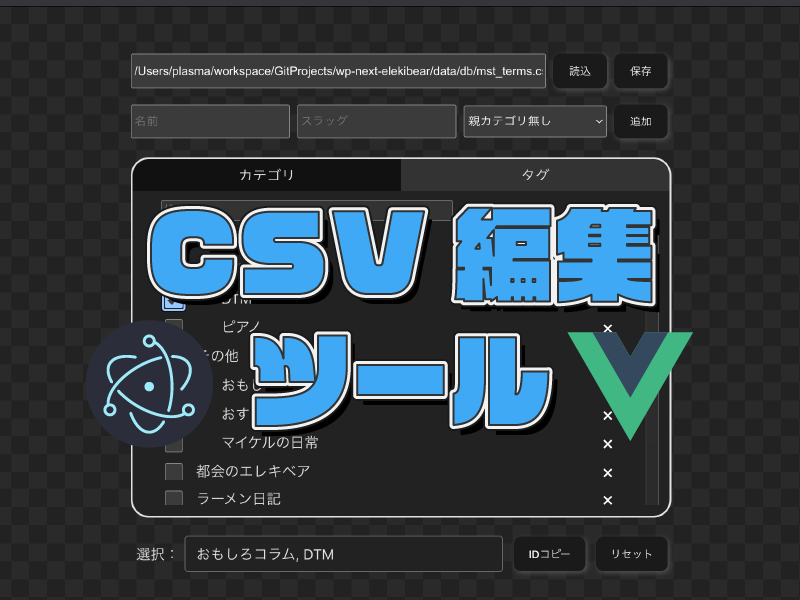
今回はその中から カテゴリブラウザ(CSV編集ツール) について紹介します!
20231231_category_browser_01
▲カテゴリブラウザ

20240101_01_next_elekibear_gif_04
▲ブログのカテゴリ・タグのデータを操作できる

エレキベア
エレキベア
おお〜〜〜 なんかカッコいいクマ〜〜〜〜
マイケル
マイケル
これは 当ブログで扱っているカテゴリ情報のCSVデータを操作しやすくするツール なんだ! 作ったアプリは下記のGitHubにあげています!

GitHub - electron-category-browser

エレキベア
エレキベア
今回もElectronを使用して作ったのクマね
マイケル
マイケル
データ自体がブログ固有の形式にはなっているけど、基本的には同じような実装で他のデータにも対応していけると思います! まずはどんなデータ形式になっていて。どのようなことができるかから紹介していきます。

ツールの概要と目的

ツールの概要

マイケル
マイケル
まず基本的な使い方の1つは、下記のような CSVデータを読み込んで表示・閲覧すること です。 こちらのデータはWordPressから抜き出したデータを自身でカスタマイズしたものになっています。
id,taxonomy,name,slug,parent
3,category,音楽,music,0
5,category,その他,other,0
6,category,都会のエレキベア,elekibear,0
37,category,ラーメン日記,ramen,0
39,category,四コマ漫画,comic,0
41,category,楽器・機材,mygear,3
42,category,DTM,dtm,3
43,category,イラスト作成,illust,54
44,category,ゲーム開発,game,0

・・・略・・・

▲カテゴリCSVデータ

20231231_category_browser_02
▲CSVファイルの内容が表示される

マイケル
マイケル
CSVデータの中にはparentが指定されていて親子関係があるため、 この辺りも整理して表示するようにしています。 タグにも切り替えれるようにしていますが、データの扱いは基本的に同じです。
エレキベア
エレキベア
CSVデータの内容を閲覧しやすくするクマね
マイケル
マイケル
使い方2つ目としては、選択したカテゴリを表示してIDをクリップボードにコピーする機能があります。 こちらは執筆時に記事のカテゴリを設定するのに使用しています。
20231231_category_browser_03
▲選択したカテゴリIDをコピーできる

エレキベア
エレキベア
Electronではクリップボードコピーといった処理も実装できるのクマね
マイケル
マイケル
最後に、カテゴリデータの削除や追加といった編集機能と、編集した内容のCSVへの保存処理を用意しました。
20231231_category_browser_04
▲カテゴリデータの追加や削除が行える

20231231_category_browser_05
▲編集したデータはCSVに保存できる

エレキベア
エレキベア
CSVファイルの編集もしやすくなっているクマね 中々機能豊富クマ

目的

マイケル
マイケル
このツールを目的は下記のようなものになります。

  • カテゴリCSVデータを閲覧・編集しやすくする
  • 選択したカテゴリIDをコピーできるようにする(執筆時)

マイケル
マイケル
カテゴリIDのコピーについては、記事をMarkdownで執筆する際に 下記のような形でカテゴリ指定を記載するために使用します。
---
type: 'post'
title: '【Electron × Vue3】カテゴリ情報のCSVデータを操作するツールを作る'
featured_image: 'https://content.elekibear.com/content/20231231_category_browser_title.png'
post_date: '2023-12-31 03:00:00'
post_modified: '2023-12-31 03:00:00'
categoryIds: '49, 66, 71'
tagIds: '175, 176, 131, 177'
---

・・・略・・・

エレキベア
エレキベア
どのカテゴリを設定するか?をいちいちCSVで探していたらキリがないクマね 確かにこのツールがあれば効率化できそうクマ〜〜〜

Electron × Vue3での実装

マイケル
マイケル
それでは早速実装の方を見ていきます。 なおElectron、Vueを使用した環境構築については下記記事にまとめていますので、こちらをご参照ください!
【Electron × Vue3】Electron × Vue3 × TypeScript × Vite でツール開発環境を整える
2023-12-31
エレキベア
エレキベア
Web開発あるあるクマが環境構築は割と手がかかるクマね

メインとなるコード全文

マイケル
マイケル
今回、メインとなるコードは下記になります。
<script lang="ts">
import { Ref, defineComponent, onMounted, reactive, ref } from 'vue';
import { mstData, useElectronApi } from '../api/electron-api';
import CategoryItem from './CategoryItem.vue';

type CategoryData = {
  rows: mstData.mstTermsRow[];
};

// カテゴリ種別
namespace CategoryType {
  export const CATEGORY = 'category';
  export const TAG = 'post_tag';
}

// 親カテゴリのparentId
const CATEGORY_PARENT_ID = '0';

export default defineComponent({
  name: 'CategoryBrowser',
  components: {
    CategoryItem,
  },
  setup() {
    const electronApi = useElectronApi();

    onMounted(() => {
      loadAllStoreData();
    });

    /**
     * 保存データキー
     */
    const StoreDataKey = {
      InputCsvPath: 'InputCsvPath',
    };

    /**
     * 保存データロード処理
     */
    const loadAllStoreData = () => {
      // 保存されているデータがあれば設定する
      electronApi.loadStoreData(StoreDataKey.InputCsvPath, (storeData) => {
        if (storeData != undefined) {
          inputCsvPath.value = storeData;
        }
      });
    };

    /**
     * 入力CSVパス
     */
    const inputCsvPath: Ref<string> = ref('/data/dummy_data.csv');
    const onChangeInputCsvPath = (e: any) => {
      let inputValue = e.target.value;
      electronApi.saveStoreData(StoreDataKey.InputCsvPath, inputValue);
    };

    /**
     * カテゴリデータ
     * これをデータとして表示する
     *  parent=0を表示
     *  連なる子データをインデントを付けつつ表示
     */
    const categoryData: CategoryData = reactive({
      rows: [],
    });
    function filteredCategoryData(parentId: string = CATEGORY_PARENT_ID) {
      // カテゴリデータをフィルタして返却する
      let filterData = categoryData.rows.filter(
        (data) => data.taxonomy === selectCategoryTabType.value && data.parent === parentId,
      );
      // 検索ワードでのフィルタ
      const searchWord = searchCategoryWord.value?.toLocaleLowerCase();
      if (searchWord) {
        if (parentId == CATEGORY_PARENT_ID) {
          // 親カテゴリの場合、自身か子カテゴリのいずれかがヒットした場合に表示する
          filterData = filterData.filter((parent) => {
            let childHitData = categoryData.rows.filter(
              (child) =>
                child.taxonomy === selectCategoryTabType.value &&
                child.parent === parent.id &&
                child.name.toLocaleLowerCase().includes(searchWord),
            );
            return parent.name.toLocaleLowerCase().includes(searchWord) || childHitData.length > 0;
          });
        } else {
          // 子カテゴリの場合、そのままフィルタする
          filterData = filterData.filter((data) => data.name.toLocaleLowerCase().includes(searchWord));
        }
      }
      return filterData;
    }
    function getCategoryDataFromId(id: string) {
      return categoryData.rows.find((data) => data.id === id);
    }

    /**
     * カテゴリデータ強制更新用のキー
     * https://tomatoaiu.hatenablog.com/entry/2019/09/28/133319
     */
    const updateCategoryItemKey = ref(0);

    /**
     * 選択中のカテゴリID
     */
    const selectCategoryIdArray: Ref<string[]> = ref([]);

    /**
     * 選択中のカテゴリ種別 (カテゴリorタグ)
     */
    const selectCategoryTabType: Ref<string> = ref(CategoryType.CATEGORY);

    /**
     * 検索ワード
     */
    const searchCategoryWord: Ref<string> = ref('');

    /**
     * 追加カテゴリ 入力情報
     */
    const addCategoryName: Ref<string> = ref('');
    const addCetegorySlug: Ref<string> = ref('');
    const addCategoryParent: Ref<string> = ref(CATEGORY_PARENT_ID);

    /**
     * メッセージ
     */
    const message = ref('');

    /**
     * 読込ボタン押下
     */
    function OnPushLoadButton() {
      // 現在のデータをクリア
      categoryData.rows.splice(0);
      OnResetSelectStateCategoryInfo();
      OnResetAddCategoryInfo();
      // CSVファイルからデータ読込
      electronApi.loadMstTermsFile(inputCsvPath.value, (data: mstData.mstTermsRow[], errorMessage: string) => {
        if (errorMessage) {
          message.value = errorMessage;
          return;
        }
        if (!data || data.length <= 0) {
          message.value = 'データの読込に失敗しました。';
          return;
        }
        console.log(data);
        categoryData.rows = data;
      });
    }

    /**
     * 保存ボタン押下
     */
    function OnPushSaveButton() {
      if (!inputCsvPath.value || !categoryData?.rows || categoryData.rows.length <= 0) {
        message.value = 'カテゴリ情報が読み込まれていません。';
        return;
      }
      electronApi.saveMstTermsFile(inputCsvPath.value, categoryData.rows, (errorMessage) => {
        if (errorMessage) {
          message.value = errorMessage;
          return;
        }
        message.value = 'カテゴリ情報を保存しました。';
      });
    }

    /**
     * カテゴリタブの変更
     * @param type
     */
    function OnChangeCategoryTypeTab(type: string) {
      if (selectCategoryTabType.value === type) {
        return;
      }
      if (type !== CategoryType.CATEGORY && type !== CategoryType.TAG) {
        console.log(`not exist category type => ${type}`);
        return;
      }
      // カテゴリの種類を変更してデータを再読込
      selectCategoryTabType.value = type;
      OnResetSelectStateCategoryInfo();
      OnResetAddCategoryInfo();
    }

    /**
     * 検索ワードの変更
     */
    function OnChangeSearchCategoryWord(e: any) {
      // keyを更新してカテゴリ一覧を無理やり更新する
      searchCategoryWord.value = e.target.value;
      RefreshForceCategoryItem();
    }

    /**
     * カテゴリの選択状態を変更する
     * @param isSelected
     */
    function OnChangeSelectStateCategory(categoryId: string, isSelected: boolean) {
      // 選択状態に応じて配列に追加or削除
      const index = selectCategoryIdArray.value.indexOf(categoryId);
      if (isSelected && index < 0) {
        selectCategoryIdArray.value.push(categoryId);
      } else if (!isSelected && index >= 0) {
        selectCategoryIdArray.value.splice(index, 1);
      }
    }

    /**
     * 選択中のカテゴリIDをクリップボードにコピーする
     */
    function OnCopySelectStateCategoryIds() {
      message.value = null;
      electronApi.writeTextToClipboard(selectCategoryIdArray.value.join(', '), (errorMessage) => {
        if (errorMessage) {
          message.value = errorMessage;
        }
      });
    }

    /**
     * カテゴリ選択状態のリセット
     */
    function OnResetSelectStateCategoryInfo() {
      message.value = null;
      searchCategoryWord.value = null;
      // 選択情報クリア(関数呼び出しじゃないと反映されない)
      selectCategoryIdArray.value.splice(0);
      RefreshForceCategoryItem();
    }

    /**
     * カテゴリ追加
     */
    function OnAddCategoryItem() {
      if (!categoryData?.rows || categoryData.rows.length <= 0) {
        message.value = 'データが読み込まれていません。';
        return;
      }
      const categoryName: string = addCategoryName.value;
      const categorySlug: string = addCetegorySlug.value;
      const categoryParent: string = addCategoryParent.value;
      if (!categoryName || !addCetegorySlug || categoryParent == null || categoryParent.length <= 0) {
        message.value = '必要な情報が入力されていません。';
        return;
      }

      // 新しいIDの取得
      let maxId = -1;
      for (const data of categoryData.rows) {
        maxId = Math.max(maxId, Number(data.id));

        if (data.name === categoryName || data.slug === categorySlug) {
          message.value = '入力されたカテゴリは既に存在しています。';
          return;
        }
      }
      const newId = maxId + 1;

      // カテゴリをデータに追加
      categoryData.rows.push({
        id: String(newId),
        name: categoryName,
        taxonomy: selectCategoryTabType.value,
        slug: categorySlug,
        parent: categoryParent,
      });
      message.value = `カテゴリを追加しました。{ id: ${newId} }`;
      console.log(`add => ${newId} ${categoryName} ${categorySlug} ${categoryParent}`);

      RefreshForceCategoryItem();
    }

    /**
     * カテゴリ追加情報のリセット
     */
    function OnResetAddCategoryInfo() {
      addCategoryName.value = null;
      addCetegorySlug.value = null;
      addCategoryParent.value = CATEGORY_PARENT_ID;
    }

    /**
     * カテゴリ削除
     * @param id
     */
    function OnRemoveCategoryItem(id: string) {
      const removeCategory = categoryData.rows.find((data) => data.id === id);
      if (!removeCategory) {
        message.value = `削除するカテゴリが見つかりません id: ${id}`;
        return;
      }

      // 親要素の場合、子カテゴリも削除対象に含める
      let removeCategoryIds = [removeCategory.id];
      if (removeCategory.parent == CATEGORY_PARENT_ID) {
        const childData = categoryData.rows.filter((data) => data.parent == removeCategory.id);
        removeCategoryIds = removeCategoryIds.concat(childData.map((data) => data.id));
      }

      // 削除して表示を更新
      categoryData.rows = categoryData.rows.filter((data) => !removeCategoryIds.includes(data.id));
      for (const removeCategoryId of removeCategoryIds) {
        const index = selectCategoryIdArray.value.indexOf(removeCategoryId);
        if (index >= 0) {
          selectCategoryIdArray.value.splice(index, 1);
        }
      }
      console.log('remove => ' + removeCategoryIds);

      RefreshForceCategoryItem();
    }

    /**
     * カテゴリアイテムの表示更新
     */
    function RefreshForceCategoryItem() {
      // keyを更新してカテゴリ一覧を無理やり更新する
      updateCategoryItemKey.value = updateCategoryItemKey.value ? 0 : 1;
    }

    return {
      inputCsvPath,
      categoryData,
      filteredCategoryData,
      getCategoryDataFromId,
      updateCategoryItemKey,
      selectCategoryIdArray,
      selectCategoryTabType,
      searchCategoryWord,
      addCategoryName,
      addCetegorySlug,
      addCategoryParent,
      message,
      CategoryType,
      onChangeInputCsvPath,
      OnPushLoadButton,
      OnPushSaveButton,
      OnChangeCategoryTypeTab,
      OnChangeSearchCategoryWord,
      OnChangeSelectStateCategory,
      OnCopySelectStateCategoryIds,
      OnResetSelectStateCategoryInfo,
      OnAddCategoryItem,
      OnRemoveCategoryItem,
    };
  },
});
</script>
0
<template>
  <div class="container">
    <div class="container-item load-path-area">
      <input class="load-input-path" v-model="inputCsvPath" v-on:input="onChangeInputCsvPath" />
      <button class="load-input-button" v-on:click="OnPushLoadButton">読込</button>
      <button class="load-input-button" v-on:click="OnPushSaveButton">保存</button>
    </div>
    <div class="container-item add-category-area">
      <input class="add-category-value-name" type="text" placeholder="名前" v-model="addCategoryName" />
      <input class="add-category-value-slug" type="text" placeholder="スラッグ" v-model="addCetegorySlug" />
      <select
        class="add-category-value-parent"
        v-model="addCategoryParent"
        placeholder="親カテゴリ"
        :disabled="selectCategoryTabType === CategoryType.TAG"
      >
        <option v-bind:value="'0'" v-bind:key="'0'">親カテゴリ無し</option>
        <option v-for="parentData in filteredCategoryData()" v-bind:value="parentData.id" v-bind:key="parentData.id">
          {{ `${parentData.name}` }}
        </option>
      </select>
      <button class="add-category-btn" v-on:click="OnAddCategoryItem">追加</button>
    </div>
    <div class="container-item category-list-area">
      <div class="category-list-tab">
        <div class="category-list-tab-btn">
          <input type="checkbox" name="category-tab" v-bind:checked="selectCategoryTabType === CategoryType.CATEGORY" />
          <div class="category-list-tab-btn-l" v-on:click="(e) => OnChangeCategoryTypeTab(CategoryType.CATEGORY)">
            カテゴリ
          </div>
        </div>
        <div class="category-list-tab-btn">
          <input type="checkbox" name="category-tab" v-bind:checked="selectCategoryTabType === CategoryType.TAG" />
          <div class="category-list-tab-btn-r" v-on:click="(e) => OnChangeCategoryTypeTab(CategoryType.TAG)">タグ</div>
        </div>
      </div>
      <div class="category-list-search-area">
        <input
          type="text"
          class="category-list-search-value"
          placeholder="検索"
          s
          v-on:input="OnChangeSearchCategoryWord"
          v-show="categoryData.rows.length > 0"
        />
      </div>
      <div class="category-list-wrapper">
        <div :key="updateCategoryItemKey" v-for="parentData in filteredCategoryData()">
          <CategoryItem
            :categoryData="parentData"
            :isParent="true"
            :isSelected="selectCategoryIdArray.includes(parentData.id)"
            @onChangeSelectId="OnChangeSelectStateCategory"
            @onRemoveCategoryItem="OnRemoveCategoryItem"
          />
          <div :key="updateCategoryItemKey" v-for="childData in filteredCategoryData(parentData.id)">
            <CategoryItem
              :categoryData="childData"
              :isParent="false"
              :isSelected="selectCategoryIdArray.includes(childData.id)"
              @onChangeSelectId="OnChangeSelectStateCategory"
              @onRemoveCategoryItem="OnRemoveCategoryItem"
            />
          </div>
        </div>
      </div>
    </div>
  </div>
  <div class="container-item category-select-id-area">
    <span class="category-select-id-label">選択:</span>
    <span class="category-select-id-value">{{
      selectCategoryIdArray.map((id) => getCategoryDataFromId(id).name).join(', ')
    }}</span>
    <button class="category-select-id-button" v-on:click="OnCopySelectStateCategoryIds">IDコピー</button>
    <button class="category-select-id-button" v-on:click="OnResetSelectStateCategoryInfo">リセット</button>
  </div>
  <div class="container-item message-area">{{ message }}</div>
</template>

<style scoped>
.container {
  text-align: center;
  display: flex;
  flex-flow: column;
  width: 600px;
}
.container-item {
  margin-bottom: 24px;
  width: 600px;
}

/** 読込パスエリア */
.load-path-area {
  widows: 100%;
  height: 32px;
  display: flex;
  align-items: center;
}
.load-input-path {
  flex: 1;
  height: 100%;
}
.load-input-button {
  width: 60px;
  height: 120%;
  font-size: 12px;
  display: flex;
  justify-content: center;
  align-items: center;
  margin-left: 8px;
  box-shadow: 2px 2px 6px #555555;
}

/** カテゴリリスト */
.category-list-area {
  position: relative;
  width: 100%;
  height: 400px;
  background-color: #222222;
  border-radius: 20px;
  border: solid 2px;
  display: flex;
  justify-content: center;
  vertical-align: middle;
  flex-flow: column;
}
.category-list-wrapper {
  position: relative;
  width: 96%;
  height: 100%;
  display: table-cell;
  overflow-y: auto;
  margin: auto;
  margin-bottom: 12px;
}

/** カテゴリリスト タブ */
.category-list-tab {
  display: flex;
  justify-content: space-between;
  height: 48px;
  width: 100%;
  margin-bottom: 8px;
}
.category-list-tab-btn {
  position: relative;
  flex: 1;
}
.category-list-tab-btn input {
  display: none;
}
.category-list-tab-btn div {
  background-color: #333333;
  width: 100%;
  height: 100%;
  display: flex;
  justify-content: center;
  align-items: center;
}
.category-list-tab-btn input:checked + div {
  background-color: #111111;
}
.category-list-tab-btn-l {
  border-radius: 20px 0px 0px 0px;
}
.category-list-tab-btn-r {
  border-radius: 0px 20px 0px 0px;
}

/** カテゴリリスト フィルタ */
.category-list-search-area {
  position: relative;
  height: 24px;
  width: 96%;
  margin: auto;
  margin-bottom: 12px;
  text-align: left;
}
.category-list-search-value {
  height: 80%;
  width: 320px;
  margin-left: 20px;
  background-color: #333333;
  border: 1px solid;
  border-color: #666666;
  border-radius: 2px;
}

/** カテゴリ選択ID */
.category-select-id-area {
  position: relative;
  display: flex;
  justify-content: space-between;
  align-items: center;
  height: 32px;
}
.category-select-id-label {
  width: 60px;
}
.category-select-id-value {
  flex: 1;
  height: 120%;
  overflow: auto;
  text-align: left;
  display: flex;
  align-items: center;
  flex-wrap: wrap;
  padding: 0px 12px;
  background-color: #222222;
  border: 1px solid;
  border-color: #666666;
  border-radius: 4px;
}
.category-select-id-button {
  width: 80px;
  height: 120%;
  margin-left: 12px;
  font-size: 12px;
  display: flex;
  justify-content: center;
  align-items: center;
  box-shadow: 2px 2px 6px #555555;
}

/** カテゴリ追加 */
.add-category-area {
  display: flex;
  justify-content: space-between;
  align-items: center;
  width: 100%;
  height: 32px;
}
.add-category-value-name {
  flex: 1;
  height: 100%;
}
.add-category-value-slug {
  flex: 1;
  height: 100%;
  margin-left: 8px;
}
.add-category-value-parent {
  width: 160px;
  height: 112%;
  margin-left: 8px;
}
.add-category-btn {
  width: 60px;
  height: 120%;
  font-size: 12px;
  display: flex;
  justify-content: center;
  align-items: center;
  margin-left: 8px;
  box-shadow: 2px 2px 6px #555555;
}

/** メッセージ */
.message-area {
  height: 20px;
}
</style>

<script lang="ts">
import { defineComponent } from 'vue';
import { mstData } from '../api/electron-api';

export default defineComponent({
  name: 'CategoryItem',
  props: {
    categoryData: null,
    isParent: Boolean,
    isSelected: Boolean,
  },
  emits: ['onChangeSelectId', 'onRemoveCategoryItem'],
  setup(props: { categoryData: mstData.mstTermsRow; isParent: boolean; isSelected: boolean }, { emit }) {
    const categoryData = props.categoryData;
    const isParent = props.isParent;
    const isSelected = props.isSelected;

    /**
     * カテゴリの選択状態を変更する
     * @param categoryId
     * @param isSelected
     */
    function onChangeSelectStateCategory(e: any) {
      const categoryId = categoryData.id;
      const isSelected = e.target.checked;
      emit('onChangeSelectId', categoryId, isSelected);
    }

    function onRemoveCategoryItem(e: any) {
      const categoryId = categoryData.id;
      emit('onRemoveCategoryItem', categoryId);
    }

    return {
      categoryData,
      isParent,
      isSelected,
      onChangeSelectStateCategory,
      onRemoveCategoryItem,
    };
  },
});
</script>

<template>
  <li class="category-item-root">
    <input
      class="category-item-checkbox"
      type="checkbox"
      v-on:change="onChangeSelectStateCategory"
      :checked="isSelected"
    />
    <span class="category-item" :class="isParent ? 'category-item-parent' : 'category-item-child'">
      {{ categoryData.name }}
    </span>
    <button class="category-delete-btn" v-on:click="onRemoveCategoryItem">×</button>
  </li>
</template>

<style scoped>
.category-item-root {
  display: flex;
  justify-content: space-between;
  vertical-align: middle;
  list-style: none;
  height: 32px;
  margin-left: 20px;
}
.category-item-checkbox {
  height: 20px;
  width: 20px;
}
.category-item {
  text-align: left;
  flex: 1;
}
.category-item-parent {
  margin-left: 12px;
}
.category-item-child {
  margin-left: 40px;
}
.category-delete-btn {
  width: 60px;
  height: 20px;
  line-height: 22px;
  font-size: 20px;
  display: flex;
  justify-content: center;
  align-items: center;
  margin-right: 12px;
  background: none;
  border: none;
}
</style>

/**
 * Electronメインプロセス側に定義した処理
 * windowオブジェクトに設定しているため、型定義を拡張する必要がある
 */
export interface IElectronAPI {
  loadFile: (filePath: string) => Promise<string>;
  saveFile: (filePath: string, data: string) => Promise<boolean>;
  writeTextToClipboard: (writeText: string) => Promise<void>;
  saveStoreData: (key: string, value: any) => Promise<void>;
  loadStoreData: (key: string) => Promise<any>;
  clearStoreData: () => Promise<void>;
}
declare global {
  interface Window {
    electronAPI: IElectronAPI;
  }
}

/**
 * マスタデータ型定義
 */
export namespace mstData {
  // カテゴリーデータ
  export type mstTermsRow = {
    id: string;
    taxonomy: string; // category or post_tag
    name: string;
    slug: string;
    parent: string;
  };
}

// Webブラウザ上での確認用データ
const DUMMY_CATEGORY_DATA = `id,taxonomy,name,slug,parent
1,category,DUMMY1,dummy1,0
2,category,DUMMY2,dummy2,0
3,category,DUMMY3,dummy3,0
4,category,DUMMY4,dummy4,0
5,category,DUMMY5,dummy5,0
11,category,DUMMY11,dummy11,1
12,category,DUMMY12,dummy12,1
13,category,DUMMY13,dummy13,1
31,category,DUMMY31,dummy31,3
101,post_tag,DUMMY_TAG1,dummytag1,0
102,post_tag,DUMMY_TAG2,dummytag2,0
103,post_tag,DUMMY_TAG3,dummytag3,0
104,post_tag,DUMMY_TAG4,dummytag4,0
105,post_tag,DUMMY_TAG5,dummytag5,0
`;

/**
 * Electron API
 * Composition Function
 * @returns
 */
export const useElectronApi = () => {
  /**
   * ファイル読込
   * @param filePath
   * @param callback
   * @returns
   */
  const loadFile = (filePath: string, callback: (result: string, errorMessage: string) => void) => {
    if (!window.electronAPI) {
      const dummy = DUMMY_CATEGORY_DATA;
      callback(dummy, 'current platform is not support electron api.');
      return;
    }
    window.electronAPI.loadFile(filePath).then((data) => callback(data, null));
  };

  /**
   * ファイル保存
   * @param filePath
   * @param data
   * @param callback
   * @returns
   */
  const saveFile = (filePath: string, data: string, callback: (errorMessage: string) => void) => {
    if (!window.electronAPI) {
      const dummy = DUMMY_CATEGORY_DATA;
      callback('current platform is not support electron api.');
      return;
    }
    window.electronAPI.saveFile(filePath, data).then((result) => {
      if (!result) {
        callback('データの保存に失敗しました。');
        return;
      }
    });
    callback(null);
  };

  /**
   * カテゴリーデータファイルの読込
   * @param filePath
   * @param callback
   */
  const loadMstTermsFile = (
    filePath: string,
    callback: (result: mstData.mstTermsRow[], errorMessage: string) => void,
  ) => {
    loadFile(filePath, (readContent: string, errorMessage: string) => {
      if (!readContent || readContent.indexOf(',') <= 0) {
        callback(null, errorMessage);
        return;
      }

      // CSVからデータを取得
      const data: string[][] = [];
      const rows: string[] = readContent.replace(/\r/g, '').split('\n');
      for (let i = 1; i < rows.length; i++) {
        if (rows[i].indexOf(',') < 0) {
          continue;
        }
        const values = rows[i].split(',');
        data.push(values);
      }

      // データをマスタデータの形式に変換
      const result: mstData.mstTermsRow[] = [];
      for (let i = 0; i < data.length; i++) {
        let index = 0;
        const columns = data[i];
        const row: mstData.mstTermsRow = {
          id: columns[index++],
          taxonomy: columns[index++],
          name: columns[index++],
          slug: columns[index++],
          parent: columns[index++],
        };
        result.push(row);
      }
      callback(result, null);
    });
  };

  /**
   * カテゴリデータファイルの保存
   * @param filePath
   * @param rows
   * @param callback
   */
  const saveMstTermsFile = (
    filePath: string,
    rows: mstData.mstTermsRow[],
    callback: (errorMessage: string) => void,
  ) => {
    let data = 'id,taxonomy,name,slug,parent\r\n';
    for (const row of rows) {
      const values = [row.id, row.taxonomy, row.name, row.slug, row.parent];
      data += values.join(',') + '\r\n';
    }
    saveFile(filePath, data, callback);
  };

  /**
   * クリップボードへの書き込み
   * @param writeText
   * @returns
   */
  const writeTextToClipboard = (writeText: string, callback: (errorMessage: string) => void) => {
    if (!window.electronAPI) {
      callback('current platform is not support electron api.');
      return;
    }
    window.electronAPI.writeTextToClipboard(writeText);
    callback('クリップボードにコピーしました。');
  };

  const saveStoreData = (key: string, value: any) => {
    window.electronAPI?.saveStoreData(key, value);
  };

  const loadStoreData = (key: string, callback: (result: any) => void): any => {
    if (!window.electronAPI) {
      callback(null);
      return;
    }
    window.electronAPI.loadStoreData(key).then(callback);
  };

  const clearStoreData = () => {
    window.electronAPI?.clearStoreData();
  };

  return {
    loadFile,
    loadMstTermsFile,
    saveFile,
    saveMstTermsFile,
    writeTextToClipboard,
    saveStoreData,
    loadStoreData,
    clearStoreData,
  };
};

エレキベア
エレキベア
CategoryBrowserがツール全体、 CategoryItemがカテゴリアイテムの部分になるクマね

CSV読込と表示処理

マイケル
マイケル
まずはメインとなるCSVデータの表示処理部分についてです。
20231231_category_browser_02
▲読み込んだCSVの内容が表示される

マイケル
マイケル
こちらの実装は下記部分になっています。 読込ボタンが押下されるとOnPushLoadButton関数が呼ばれ、categoryData変数にデータが設定されます。 データをtemplate部分でv-for指定することで画面に表示しています。
<script lang="ts">
import { Ref, defineComponent, onMounted, reactive, ref } from 'vue';
import { mstData, useElectronApi } from '../api/electron-api';
import CategoryItem from './CategoryItem.vue';

type CategoryData = {
  rows: mstData.mstTermsRow[];
};

// カテゴリ種別
namespace CategoryType {
  export const CATEGORY = 'category';
  export const TAG = 'post_tag';
}

// 親カテゴリのparentId
const CATEGORY_PARENT_ID = '0';

export default defineComponent({
  name: 'CategoryBrowser',
  components: {
    CategoryItem,
  },
  setup() {
    const electronApi = useElectronApi();

・・・略・・・

    /**
     * 入力CSVパス
     */
    const inputCsvPath: Ref<string> = ref('/data/dummy_data.csv');

    /**
     * カテゴリデータ
     * これをデータとして表示する
     *  parent=0を表示
     *  連なる子データをインデントを付けつつ表示
     */
    const categoryData: CategoryData = reactive({
      rows: [],
    });
    function filteredCategoryData(parentId: string = CATEGORY_PARENT_ID) {
      // カテゴリデータをフィルタして返却する
      let filterData = categoryData.rows.filter(
        (data) => data.taxonomy === selectCategoryTabType.value && data.parent === parentId,
      );
      // 検索ワードでのフィルタ
      const searchWord = searchCategoryWord.value?.toLocaleLowerCase();
      if (searchWord) {
        if (parentId == CATEGORY_PARENT_ID) {
          // 親カテゴリの場合、自身か子カテゴリのいずれかがヒットした場合に表示する
          filterData = filterData.filter((parent) => {
            let childHitData = categoryData.rows.filter(
              (child) =>
                child.taxonomy === selectCategoryTabType.value &&
                child.parent === parent.id &&
                child.name.toLocaleLowerCase().includes(searchWord),
            );
            return parent.name.toLocaleLowerCase().includes(searchWord) || childHitData.length > 0;
          });
        } else {
          // 子カテゴリの場合、そのままフィルタする
          filterData = filterData.filter((data) => data.name.toLocaleLowerCase().includes(searchWord));
        }
      }
      return filterData;
    }
    function getCategoryDataFromId(id: string) {
      return categoryData.rows.find((data) => data.id === id);
    }

    /**
     * カテゴリデータ強制更新用のキー
     * https://tomatoaiu.hatenablog.com/entry/2019/09/28/133319
     */
    const updateCategoryItemKey = ref(0);

・・・略・・・

    /**
     * 選択中のカテゴリ種別 (カテゴリorタグ)
     */
    const selectCategoryTabType: Ref<string> = ref(CategoryType.CATEGORY);

    /**
     * 検索ワード
     */
    const searchCategoryWord: Ref<string> = ref('');

・・・略・・・

    /**
     * 読込ボタン押下
     */
    function OnPushLoadButton() {
      // 現在のデータをクリア
      categoryData.rows.splice(0);
      OnResetSelectStateCategoryInfo();
      OnResetAddCategoryInfo();
      // CSVファイルからデータ読込
      electronApi.loadMstTermsFile(inputCsvPath.value, (data: mstData.mstTermsRow[], errorMessage: string) => {
        if (errorMessage) {
          message.value = errorMessage;
          return;
        }
        if (!data || data.length <= 0) {
          message.value = 'データの読込に失敗しました。';
          return;
        }
        console.log(data);
        categoryData.rows = data;
      });
    }

・・・略・・・

    /**
     * カテゴリタブの変更
     * @param type
     */
    function OnChangeCategoryTypeTab(type: string) {
      if (selectCategoryTabType.value === type) {
        return;
      }
      if (type !== CategoryType.CATEGORY && type !== CategoryType.TAG) {
        console.log(`not exist category type => ${type}`);
        return;
      }
      // カテゴリの種類を変更してデータを再読込
      selectCategoryTabType.value = type;
      OnResetSelectStateCategoryInfo();
      OnResetAddCategoryInfo();
    }

    /**
     * 検索ワードの変更
     */
    function OnChangeSearchCategoryWord(e: any) {
      // keyを更新してカテゴリ一覧を無理やり更新する
      searchCategoryWord.value = e.target.value;
      RefreshForceCategoryItem();
    }

・・・略・・・

    /**
     * カテゴリアイテムの表示更新
     */
    function RefreshForceCategoryItem() {
      // keyを更新してカテゴリ一覧を無理やり更新する
      updateCategoryItemKey.value = updateCategoryItemKey.value ? 0 : 1;
    }

・・・略・・・

  },
});
</script>
0
<template>
  <div class="container">
    <div class="container-item load-path-area">
      <input class="load-input-path" v-model="inputCsvPath" v-on:input="onChangeInputCsvPath" />
      <button class="load-input-button" v-on:click="OnPushLoadButton">読込</button>
      <button class="load-input-button" v-on:click="OnPushSaveButton">保存</button>
    </div>

・・・略・・・

    <div class="container-item category-list-area">
      <div class="category-list-tab">
        <div class="category-list-tab-btn">
          <input type="checkbox" name="category-tab" v-bind:checked="selectCategoryTabType === CategoryType.CATEGORY" />
          <div class="category-list-tab-btn-l" v-on:click="(e) => OnChangeCategoryTypeTab(CategoryType.CATEGORY)">
            カテゴリ
          </div>
        </div>
        <div class="category-list-tab-btn">
          <input type="checkbox" name="category-tab" v-bind:checked="selectCategoryTabType === CategoryType.TAG" />
          <div class="category-list-tab-btn-r" v-on:click="(e) => OnChangeCategoryTypeTab(CategoryType.TAG)">タグ</div>
        </div>
      </div>
      <div class="category-list-search-area">
        <input
          type="text"
          class="category-list-search-value"
          placeholder="検索"
          s
          v-on:input="OnChangeSearchCategoryWord"
          v-show="categoryData.rows.length > 0"
        />
      </div>
      <div class="category-list-wrapper">
        <div :key="updateCategoryItemKey" v-for="parentData in filteredCategoryData()">
          <CategoryItem
            :categoryData="parentData"
            :isParent="true"
            :isSelected="selectCategoryIdArray.includes(parentData.id)"
            @onChangeSelectId="OnChangeSelectStateCategory"
            @onRemoveCategoryItem="OnRemoveCategoryItem"
          />
          <div :key="updateCategoryItemKey" v-for="childData in filteredCategoryData(parentData.id)">
            <CategoryItem
              :categoryData="childData"
              :isParent="false"
              :isSelected="selectCategoryIdArray.includes(childData.id)"
              @onChangeSelectId="OnChangeSelectStateCategory"
              @onRemoveCategoryItem="OnRemoveCategoryItem"
            />
          </div>
        </div>
      </div>
    </div>
  </div>

・・・略・・・

</template>

・・・略・・・

エレキベア
エレキベア
CSVデータの形式に合わせた型を用意して読込と表示を行うクマね
マイケル
マイケル
データを更新した際に描画を強制更新するよう、updateCategoryItemKeyという専用のキーを用意しています。 また、表示の他に検索文字列やタブ切替によるフィルタ処理も差し込んでいます。
エレキベア
エレキベア
検索ワードを変更した時などに強制更新用のキーを更新しているということクマね
マイケル
マイケル
なお、CSVファイルの読込についてはElectronのメインプロセス側で実行する必要があるため、下記のようにラッパークラスを経由して呼び出すよう実装しています。
/**
 * Electronメインプロセス側に定義した処理
 * windowオブジェクトに設定しているため、型定義を拡張する必要がある
 */
export interface IElectronAPI {
  loadFile: (filePath: string) => Promise<string>;

・・・略・・・

}
declare global {
  interface Window {
    electronAPI: IElectronAPI;
  }
}

/**
 * マスタデータ型定義
 */
export namespace mstData {
  // カテゴリーデータ
  export type mstTermsRow = {
    id: string;
    taxonomy: string; // category or post_tag
    name: string;
    slug: string;
    parent: string;
  };
}

・・・略・・・

/**
 * Electron API
 * Composition Function
 * @returns
 */
export const useElectronApi = () => {
  /**
   * ファイル読込
   * @param filePath
   * @param callback
   * @returns
   */
  const loadFile = (filePath: string, callback: (result: string, errorMessage: string) => void) => {
    if (!window.electronAPI) {
      const dummy = DUMMY_CATEGORY_DATA;
      callback(dummy, 'current platform is not support electron api.');
      return;
    }
    window.electronAPI.loadFile(filePath).then((data) => callback(data, null));
  };

・・・略・・・

  /**
   * カテゴリーデータファイルの読込
   * @param filePath
   * @param callback
   */
  const loadMstTermsFile = (
    filePath: string,
    callback: (result: mstData.mstTermsRow[], errorMessage: string) => void,
  ) => {
    loadFile(filePath, (readContent: string, errorMessage: string) => {
      if (!readContent || readContent.indexOf(',') <= 0) {
        callback(null, errorMessage);
        return;
      }

      // CSVからデータを取得
      const data: string[][] = [];
      const rows: string[] = readContent.replace(/\r/g, '').split('\n');
      for (let i = 1; i < rows.length; i++) {
        if (rows[i].indexOf(',') < 0) {
          continue;
        }
        const values = rows[i].split(',');
        data.push(values);
      }

      // データをマスタデータの形式に変換
      const result: mstData.mstTermsRow[] = [];
      for (let i = 0; i < data.length; i++) {
        let index = 0;
        const columns = data[i];
        const row: mstData.mstTermsRow = {
          id: columns[index++],
          taxonomy: columns[index++],
          name: columns[index++],
          slug: columns[index++],
          parent: columns[index++],
        };
        result.push(row);
      }
      callback(result, null);
    });
  };


・・・略・・・

};

const { ipcRenderer, contextBridge } = require('electron');

contextBridge.exposeInMainWorld('electronAPI', {
  loadFile: (filePath: string) => ipcRenderer.invoke('loadFile', filePath),

・・・略・・・

});

import { app, BrowserWindow, clipboard, ipcMain, screen } from 'electron';
import * as path from 'path';

・・・略・・・

// ----- レンダラープロセスから呼び出される処理 -----

/** ファイル保存関連 */
const fs = require('fs');

/**
 * ファイル保存処理
 */
ipcMain.handle('loadFile', async (event, filePath) => {
  try {
    fs.statSync(filePath);
  } catch (e) {
    console.log(`not exist file path => ${filePath}`);
    return null;
  }

  let data = null;
  try {
    data = fs.readFileSync(filePath, 'utf8');
  } catch (e) {
    console.log(`faild load file => ${filePath}`);
    return null;
  }
  return data;
});

・・・略・・・

エレキベア
エレキベア
Node.jsで実行したりElectronの機能を使用する場合は メインプロセス側に記述する必要があったクマね

カテゴリの選択処理

マイケル
マイケル
次はカテゴリの選択処理についてです。 各アイテムのチェックボックスを押下すると下部エリアに表示するようにしています。
20231231_category_browser_03
▲選択したカテゴリが表示され、IDコピーに使用することができる

マイケル
マイケル
チェックボックスのinputタグはCategoryItem.vue内に記載しています。 emits指定して呼び出すことで、親となるCategoryBrowser.vue内の関数を呼び出す形にしています。
<script lang="ts">
import { defineComponent } from 'vue';
import { mstData } from '../api/electron-api';

export default defineComponent({
  name: 'CategoryItem',
  props: {
    categoryData: null,
    isParent: Boolean,
    isSelected: Boolean,
  },
  emits: ['onChangeSelectId', 'onRemoveCategoryItem'],
  setup(props: { categoryData: mstData.mstTermsRow; isParent: boolean; isSelected: boolean }, { emit }) {
    const categoryData = props.categoryData;
    const isParent = props.isParent;
    const isSelected = props.isSelected;

    /**
     * カテゴリの選択状態を変更する
     * @param categoryId
     * @param isSelected
     */
    function onChangeSelectStateCategory(e: any) {
      const categoryId = categoryData.id;
      const isSelected = e.target.checked;
      emit('onChangeSelectId', categoryId, isSelected);
    }

・・・略・・・

  },
});
</script>

<template>
  <li class="category-item-root">
    <input
      class="category-item-checkbox"
      type="checkbox"
      v-on:change="onChangeSelectStateCategory"
      :checked="isSelected"
    />
    <span class="category-item" :class="isParent ? 'category-item-parent' : 'category-item-child'">
      {{ categoryData.name }}
    </span>
    <button class="category-delete-btn" v-on:click="onRemoveCategoryItem">×</button>
  </li>
</template>
<script lang="ts">

・・・略・・・

    /**
     * 選択中のカテゴリID
     */
    const selectCategoryIdArray: Ref<string[]> = ref([]);

・・・略・・・

    /**
     * カテゴリの選択状態を変更する
     * @param isSelected
     */
    function OnChangeSelectStateCategory(categoryId: string, isSelected: boolean) {
      // 選択状態に応じて配列に追加or削除
      const index = selectCategoryIdArray.value.indexOf(categoryId);
      if (isSelected && index < 0) {
        selectCategoryIdArray.value.push(categoryId);
      } else if (!isSelected && index >= 0) {
        selectCategoryIdArray.value.splice(index, 1);
      }
    }

・・・略・・・

  },
});
</script>
0
<template>
  <div class="container">

・・・略・・・

    <div class="container-item category-list-area">

・・・略・・・

      <div class="category-list-wrapper">
        <div :key="updateCategoryItemKey" v-for="parentData in filteredCategoryData()">
          <CategoryItem
            :categoryData="parentData"
            :isParent="true"
            :isSelected="selectCategoryIdArray.includes(parentData.id)"
            @onChangeSelectId="OnChangeSelectStateCategory"
            @onRemoveCategoryItem="OnRemoveCategoryItem"
          />
          <div :key="updateCategoryItemKey" v-for="childData in filteredCategoryData(parentData.id)">
            <CategoryItem
              :categoryData="childData"
              :isParent="false"
              :isSelected="selectCategoryIdArray.includes(childData.id)"
              @onChangeSelectId="OnChangeSelectStateCategory"
              @onRemoveCategoryItem="OnRemoveCategoryItem"
            />
          </div>
        </div>
      </div>
    </div>
  </div>
  <div class="container-item category-select-id-area">
    <span class="category-select-id-label">選択:</span>
    <span class="category-select-id-value">{{
      selectCategoryIdArray.map((id) => getCategoryDataFromId(id).name).join(', ')
    }}</span>

・・・略・・・

  </div>

・・・略・・・

</template>
エレキベア
エレキベア
選択処理の関数自体は選択されたIDを格納しているだけクマね
マイケル
マイケル
emitによる処理の受け渡しは覚えておくと便利です!

Vue.js | コンポーネントのイベント

選択IDのコピー、リセット処理

マイケル
マイケル
関連にはなりますが、選択したIDのコピーとリセット処理については下記のような実装になっています。
20231231_category_browser_03
▲選択したカテゴリのIDコピー、リセットを行う

<script lang="ts">

・・・略・・・

    /**
     * 選択中のカテゴリIDをクリップボードにコピーする
     */
    function OnCopySelectStateCategoryIds() {
      message.value = null;
      electronApi.writeTextToClipboard(selectCategoryIdArray.value.join(', '), (errorMessage) => {
        if (errorMessage) {
          message.value = errorMessage;
        }
      });
    }

    /**
     * カテゴリ選択状態のリセット
     */
    function OnResetSelectStateCategoryInfo() {
      message.value = null;
      searchCategoryWord.value = null;
      // 選択情報クリア(関数呼び出しじゃないと反映されない)
      selectCategoryIdArray.value.splice(0);
      RefreshForceCategoryItem();
    }

・・・略・・・

  },
});
</script>
0
<template>

・・・略・・・

  <div class="container-item category-select-id-area">
    <span class="category-select-id-label">選択:</span>
    <span class="category-select-id-value">{{
      selectCategoryIdArray.map((id) => getCategoryDataFromId(id).name).join(', ')
    }}</span>
    <button class="category-select-id-button" v-on:click="OnCopySelectStateCategoryIds">IDコピー</button>
    <button class="category-select-id-button" v-on:click="OnResetSelectStateCategoryInfo">リセット</button>
  </div>
  <div class="container-item message-area">{{ message }}</div>
</template>

・・・略・・・

マイケル
マイケル
リセット処理は配列をクリアするだけですが、IDコピー処理はクリップボードの操作を行う必要があるためメインプロセス側の処理を呼び出しています。 クリップボードコピー処理の該当箇所は下記になります。
/**
 * Electronメインプロセス側に定義した処理
 * windowオブジェクトに設定しているため、型定義を拡張する必要がある
 */
export interface IElectronAPI {

・・・略・・・

  writeTextToClipboard: (writeText: string) => Promise<void>;

・・・略・・・

}

・・・略・・・

/**
 * Electron API
 * Composition Function
 * @returns
 */
export const useElectronApi = () => {

・・・略・・・

  /**
   * クリップボードへの書き込み
   * @param writeText
   * @returns
   */
  const writeTextToClipboard = (writeText: string, callback: (errorMessage: string) => void) => {
    if (!window.electronAPI) {
      callback('current platform is not support electron api.');
      return;
    }
    window.electronAPI.writeTextToClipboard(writeText);
    callback('クリップボードにコピーしました。');
  };

・・・略・・・

};

const { ipcRenderer, contextBridge } = require('electron');

// レンダラープロセス -> メインプロセス 処理を呼び出すためのブリッジ
// コンテキストを分離してwindowオブジェクトに設定する
// https://www.electronjs.org/ja/docs/latest/tutorial/context-isolation
contextBridge.exposeInMainWorld('electronAPI', {

・・・略・・・

  writeTextToClipboard: (writeText: string) => ipcRenderer.invoke('writeTextToClipboard', writeText),

・・・略・・・

});

import { app, BrowserWindow, clipboard, ipcMain, screen } from 'electron';
import * as path from 'path';

・・・略・・・

/**
 * クリップボードへ任意の文字列をコピー
 */
ipcMain.handle('writeTextToClipboard', async (event, weiteText: string) => {
  clipboard.writeText(weiteText);
});

・・・略・・・

エレキベア
エレキベア
クリップボードの操作はツールでよく使うクマから APIが用意されてるのは便利クマね

カテゴリ追加と削除処理

マイケル
マイケル
次はデータ操作の部分で、カテゴリデータの追加・削除を行う処理についてです。
20231231_category_browser_04
▲カテゴリデータの追加や削除が行える

マイケル
マイケル
こちらの処理は単純で、各操作からcategoryDataを編集して表示しています。 追加処理に関しては現在の最大IDを調べて+1することで設定しました。
<script lang="ts">

・・・略・・・

    /**
     * 追加カテゴリ 入力情報
     */
    const addCategoryName: Ref<string> = ref('');
    const addCetegorySlug: Ref<string> = ref('');
    const addCategoryParent: Ref<string> = ref(CATEGORY_PARENT_ID);

・・・略・・・


    /**
     * カテゴリ追加
     */
    function OnAddCategoryItem() {
      if (!categoryData?.rows || categoryData.rows.length <= 0) {
        message.value = 'データが読み込まれていません。';
        return;
      }
      const categoryName: string = addCategoryName.value;
      const categorySlug: string = addCetegorySlug.value;
      const categoryParent: string = addCategoryParent.value;
      if (!categoryName || !addCetegorySlug || categoryParent == null || categoryParent.length <= 0) {
        message.value = '必要な情報が入力されていません。';
        return;
      }

      // 新しいIDの取得
      let maxId = -1;
      for (const data of categoryData.rows) {
        maxId = Math.max(maxId, Number(data.id));

        if (data.name === categoryName || data.slug === categorySlug) {
          message.value = '入力されたカテゴリは既に存在しています。';
          return;
        }
      }
      const newId = maxId + 1;

      // カテゴリをデータに追加
      categoryData.rows.push({
        id: String(newId),
        name: categoryName,
        taxonomy: selectCategoryTabType.value,
        slug: categorySlug,
        parent: categoryParent,
      });
      message.value = `カテゴリを追加しました。{ id: ${newId} }`;
      console.log(`add => ${newId} ${categoryName} ${categorySlug} ${categoryParent}`);

      RefreshForceCategoryItem();
    }

    /**
     * カテゴリ追加情報のリセット
     */
    function OnResetAddCategoryInfo() {
      addCategoryName.value = null;
      addCetegorySlug.value = null;
      addCategoryParent.value = CATEGORY_PARENT_ID;
    }

    /**
     * カテゴリ削除
     * @param id
     */
    function OnRemoveCategoryItem(id: string) {
      const removeCategory = categoryData.rows.find((data) => data.id === id);
      if (!removeCategory) {
        message.value = `削除するカテゴリが見つかりません id: ${id}`;
        return;
      }

      // 親要素の場合、子カテゴリも削除対象に含める
      let removeCategoryIds = [removeCategory.id];
      if (removeCategory.parent == CATEGORY_PARENT_ID) {
        const childData = categoryData.rows.filter((data) => data.parent == removeCategory.id);
        removeCategoryIds = removeCategoryIds.concat(childData.map((data) => data.id));
      }

      // 削除して表示を更新
      categoryData.rows = categoryData.rows.filter((data) => !removeCategoryIds.includes(data.id));
      for (const removeCategoryId of removeCategoryIds) {
        const index = selectCategoryIdArray.value.indexOf(removeCategoryId);
        if (index >= 0) {
          selectCategoryIdArray.value.splice(index, 1);
        }
      }
      console.log('remove => ' + removeCategoryIds);

      RefreshForceCategoryItem();
    }

・・・略・・・

  },
});
</script>
0
<template>
  <div class="container">

・・・略・・・

    <div class="container-item add-category-area">
      <input class="add-category-value-name" type="text" placeholder="名前" v-model="addCategoryName" />
      <input class="add-category-value-slug" type="text" placeholder="スラッグ" v-model="addCetegorySlug" />
      <select
        class="add-category-value-parent"
        v-model="addCategoryParent"
        placeholder="親カテゴリ"
        :disabled="selectCategoryTabType === CategoryType.TAG"
      >
        <option v-bind:value="'0'" v-bind:key="'0'">親カテゴリ無し</option>
        <option v-for="parentData in filteredCategoryData()" v-bind:value="parentData.id" v-bind:key="parentData.id">
          {{ `${parentData.name}` }}
        </option>
      </select>
      <button class="add-category-btn" v-on:click="OnAddCategoryItem">追加</button>
    </div>
    <div class="container-item category-list-area">

・・・略・・・

      <div class="category-list-wrapper">
        <div :key="updateCategoryItemKey" v-for="parentData in filteredCategoryData()">
          <CategoryItem
            :categoryData="parentData"
            :isParent="true"
            :isSelected="selectCategoryIdArray.includes(parentData.id)"
            @onChangeSelectId="OnChangeSelectStateCategory"
            @onRemoveCategoryItem="OnRemoveCategoryItem"
          />
          <div :key="updateCategoryItemKey" v-for="childData in filteredCategoryData(parentData.id)">
            <CategoryItem
              :categoryData="childData"
              :isParent="false"
              :isSelected="selectCategoryIdArray.includes(childData.id)"
              @onChangeSelectId="OnChangeSelectStateCategory"
              @onRemoveCategoryItem="OnRemoveCategoryItem"
            />
          </div>
        </div>
      </div>
    </div>
  </div>

・・・略・・・

</template>

・・・略・・・

エレキベア
エレキベア
まあこの辺は特に言うことないクマね

カテゴリ保存処理

マイケル
マイケル
最後に編集したデータのCSVファイルへの保存処理についてです。 こちらについてもシンプルで、編集したcategoryDataをCSV形式に変換して書き出しているだけですね。
<script lang="ts">

・・・略・・・

    /**
     * 保存ボタン押下
     */
    function OnPushSaveButton() {
      if (!inputCsvPath.value || !categoryData?.rows || categoryData.rows.length <= 0) {
        message.value = 'カテゴリ情報が読み込まれていません。';
        return;
      }
      electronApi.saveMstTermsFile(inputCsvPath.value, categoryData.rows, (errorMessage) => {
        if (errorMessage) {
          message.value = errorMessage;
          return;
        }
        message.value = 'カテゴリ情報を保存しました。';
      });
    }

・・・略・・・

  },
});
</script>

<template>
  <div class="container">
    <div class="container-item load-path-area">
      <input class="load-input-path" v-model="inputCsvPath" v-on:input="onChangeInputCsvPath" />
      <button class="load-input-button" v-on:click="OnPushLoadButton">読込</button>
      <button class="load-input-button" v-on:click="OnPushSaveButton">保存</button>
    </div>

・・・略・・・

</template>

・・・略・・・

/**
 * Electronメインプロセス側に定義した処理
 * windowオブジェクトに設定しているため、型定義を拡張する必要がある
 */
export interface IElectronAPI {

・・・略・・・

  saveFile: (filePath: string, data: string) => Promise<boolean>;

・・・略・・・

}

・・・略・・・

/**
 * Electron API
 * Composition Function
 * @returns
 */
export const useElectronApi = () => {

・・・略・・・

  /**
   * ファイル保存
   * @param filePath
   * @param data
   * @param callback
   * @returns
   */
  const saveFile = (filePath: string, data: string, callback: (errorMessage: string) => void) => {
    if (!window.electronAPI) {
      const dummy = DUMMY_CATEGORY_DATA;
      callback('current platform is not support electron api.');
      return;
    }
    window.electronAPI.saveFile(filePath, data).then((result) => {
      if (!result) {
        callback('データの保存に失敗しました。');
        return;
      }
    });
    callback(null);
  };

・・・略・・・

  /**
   * カテゴリデータファイルの保存
   * @param filePath
   * @param rows
   * @param callback
   */
  const saveMstTermsFile = (
    filePath: string,
    rows: mstData.mstTermsRow[],
    callback: (errorMessage: string) => void,
  ) => {
    let data = 'id,taxonomy,name,slug,parent\r\n';
    for (const row of rows) {
      const values = [row.id, row.taxonomy, row.name, row.slug, row.parent];
      data += values.join(',') + '\r\n';
    }
    saveFile(filePath, data, callback);
  };

・・・略・・・

};

const { ipcRenderer, contextBridge } = require('electron');

// レンダラープロセス -> メインプロセス 処理を呼び出すためのブリッジ
// コンテキストを分離してwindowオブジェクトに設定する
// https://www.electronjs.org/ja/docs/latest/tutorial/context-isolation
contextBridge.exposeInMainWorld('electronAPI', {

・・・略・・・

  saveFile: (filePath: string, data: string) => ipcRenderer.invoke('saveFile', filePath, data),

・・・略・・・

});

import { app, BrowserWindow, clipboard, ipcMain, screen } from 'electron';
import * as path from 'path';

・・・略・・・

ipcMain.handle('saveFile', async (event, filePath, data) => {
  try {
    fs.statSync(filePath);
  } catch (e) {
    console.log(`not exist file path => ${filePath}`);
    return false;
  }

  try {
    fs.writeFileSync(filePath, data);
  } catch (e) {
    console.log(`ファイルの書き込みに失敗しました => ${filePath}`);
    return false;
  }
  return true;
});

・・・略・・・

エレキベア
エレキベア
これで一通りの機能が実装できたクマ〜〜〜

おわりに

マイケル
マイケル
というわけで今回はCSVデータを閲覧・編集するツールを作ってみました。 どうだったかな??
エレキベア
エレキベア
CSVやJSONといったデータ形式を人間が扱いやすいようにするのは大事だと思ったクマ 自分でツールを作ると柔軟に対応できるから便利クマね
マイケル
マイケル
かゆい所に手が届くから楽しいね! Electronに限らず、これからもいろいろと作ってみよう!
マイケル
マイケル
それでは今日はこの辺で! アデューー!!
エレキベア
エレキベア
クマ〜〜〜〜〜

【Electron × Vue3】カテゴリ情報のCSVデータを操作するツールを作る 〜完〜


ツール開発JavaScriptフロントエンド関連ElectronVue.jsTypeScriptVite
2023-12-31
記事をSNSで共有する
X
Facebook
LINE
はてなブックマーク
Pocket
LinkedIn
Reddit

著者の各種アカウント
フォローいただけると大変励みになります!
X
GitHub

関連記事
【Three.js】カスタムシェーダーでトゥーン+背面法アウトラインを実装する
2026-02-15
【Three.js】Three.js入門 - シーン構築・モデル読み込み・ポストプロセスまで
2026-02-15
【Astro】Astroの使い方と複数UIフレームワーク(React、Vue、Svelte)を組み合わせるサンプル
2026-02-01
【Houdini21.0】3Dビル群っぽいブログヘッダー画像を作成する
2026-01-10
【VSCode】ドラッグ&ドロップで画像ファイルをリサイズ・保存する拡張機能を作る
2025-11-22
【Unity】Timeline × Excelでスライドショーを効率よく制作する
2024-10-31
【ゲーム数学】第九回 p5.jsで学ぶゲーム数学「フーリエ解析」
2024-05-12
【Node.js】廃止されたAmazonアソシエイト画像リンクをAmazon Product Advertising API経由で復活させる
2024-01-08